
Vision · Toolkit
Triveni
The cheapest camera upgrade is usually not a camera. Triveni improves the footage you are already recording.
Overview
Camera estates get replaced slowly and expensively. Meanwhile the footage they produce is too noisy or too low-resolution at exactly the moment somebody needs to read it.
Triveni is a toolkit that works on the output rather than the hardware. It strips the noise that dust and weather introduce, enhances resolution so zooming in yields detail instead of blocks, and works from the camera original — including RAW — rather than from a compressed copy that has already thrown the detail away.
It is deliberately small. It runs on the smallest GPU-equipped laptop, which matters when the footage is being reviewed somewhere without a data centre attached.
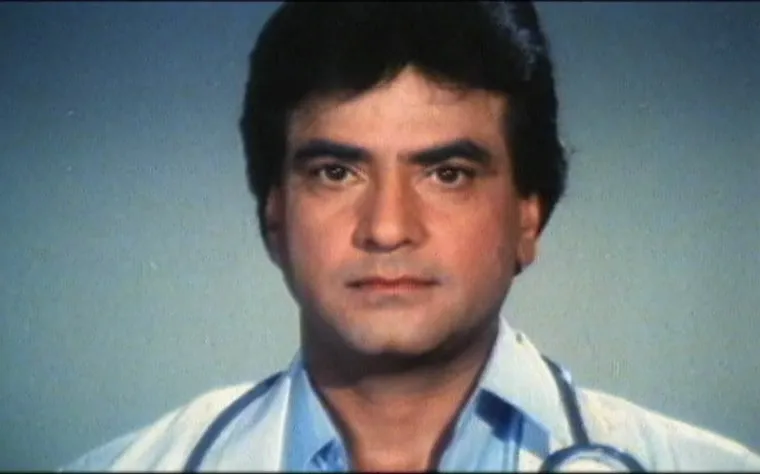 Archive original
 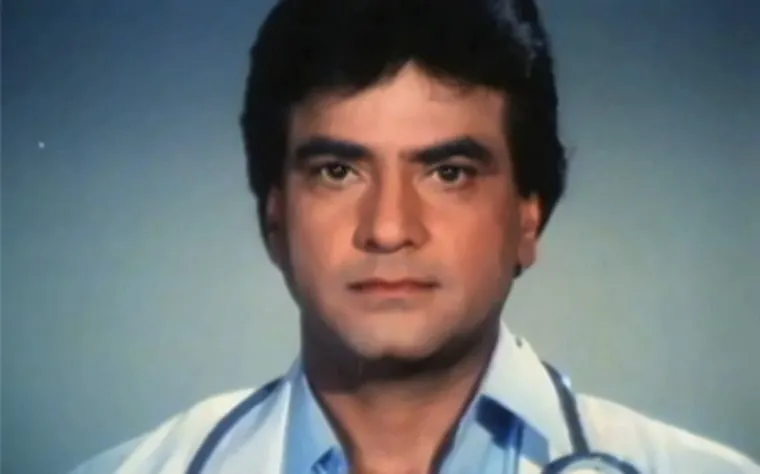 Enhanced
 Capabilities
What Triveni does
Noise removal
Reduces the noise that dust and weather introduce into images and video, so what is left is the subject.
Works from the camera original
Processes RAW and other camera-native formats directly. Enhancing a compressed copy can only recover what compression left behind; starting from the original does not have that ceiling.
Resolution enhancement
Digital zoom that resolves detail instead of enlarging pixels — the difference between seeing that there is a number plate and reading it.
Works on existing footage
Applies to archive material as well as live feeds, so an incident recorded months ago can still be re-examined properly.
Runs on modest hardware
Deployable on the smallest GPU-powered laptop, which is what makes it usable in the field rather than only in a rack.
Composable with other layers
Sits underneath detection and recognition models as a pre-processing stage, so everything above it works on better input.
Who it is for
Built for these situations
Security and surveillance operators
Estates with a lot of cameras, a long replacement cycle, and footage that is unreadable at exactly the wrong moment.
Archive and restoration teams
Anyone with historic material that is worth keeping and currently too degraded to use.
Field and mobile deployments
Situations where the processing has to happen on a laptop, not in a data centre.
Deployment
- On-premise or on a single GPU-equipped laptop.
- Runs on live feeds and on recorded footage equally.
- Deployable as a pre-processing stage ahead of your existing analytics.
- Also ships as one of the layers inside ProactiveGuard.
Questions
Frequently asked
Does Triveni need new cameras?
No — the point of it is that it works on the footage your existing cameras already produce.
What hardware does it need?
It has been built to run on the smallest GPU-powered laptop, so a field deployment does not require server infrastructure.
Can it process footage we recorded last year?
Yes. It applies to archive material as readily as to live feeds.
Does it work on RAW files?
Yes. Working from the camera original rather than a compressed copy is one of the reasons it recovers detail that other tools cannot.
Is it a standalone product or part of ProactiveGuard?
Both. It is available on its own, and it is also one of the AI layers inside ProactiveGuard.
Interested in Triveni?
Every deployment is customised to the organisation running it. Tell us about your environment and your constraints, and we will tell you honestly whether this is the right fit.